
How to Download Instagram Reels, Stories & Photos (2026)
Save reels, stories and photos in a tap, plus the etiquette that keeps you out of trouble.
Saving media with Instagram Gold
After installing, open any post, reel or story. A download option appears in the menu; tap it and the file is saved to your gallery. The app handles photos, videos, reels, stories and longer clips.
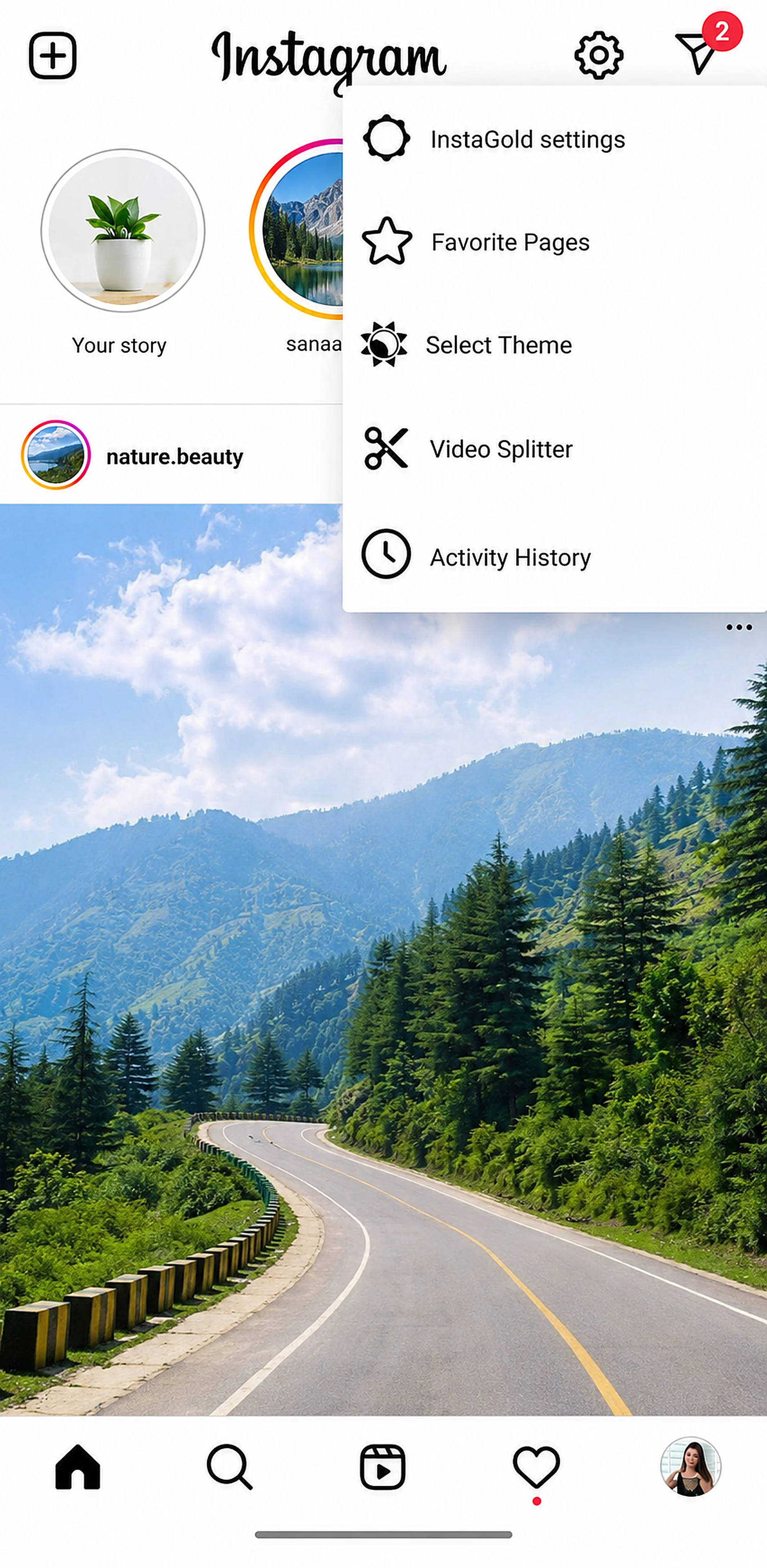
Step by step
- Get the app from the Instagram Gold APK download page on the home page.
- Open the content you want.
- Tap the three-dot menu or the download icon.
- Choose Download and check your gallery.
Viewing and saving profile photos
Long-press a profile picture to see it full screen. On Android 11 and newer, grant “All files access” when asked, because saving profile photos needs it.
Stories without leaving a view
The stealth viewing option lets you watch a story or live without registering a view. Use it considerately; people often post stories expecting to know who is watching.
What you can save
Instagram Gold covers the main kinds of Instagram media:
- Photos from the feed and from carousels (swipe to each image and save).
- Videos and reels, including long reels up to the length Instagram allows.
- Stories, both photo and video, while they are still live.
- Profile pictures, which you can open full screen with a long press.
Quality depends on what Instagram serves to the app. If a creator uploaded in low resolution, nothing can make it sharper.
When the download button does not work
- Nothing happens after tapping: check that storage permission was granted. On Android 11 and newer you must allow All files access.
- File missing from the gallery: open your file manager and look in the app’s download folder; some gallery apps refresh slowly.
- Private account content: you can only save what your account is allowed to see.
- Old build: if downloads fail after an Instagram change, install the latest version from the Instagram Gold APK download page.
Practical tips for creators and collectors
- Create a folder for saved material so you do not lose track of sources.
- Note the creator’s username; crediting people is good manners and often required.
- Save stories before they expire after 24 hours.
- Use Wi-Fi for large reels to avoid mobile data charges.
If you are still deciding whether to use a mod, read how it compares in Instagram Gold vs official Instagram.
Respect creators
Only save content you own or have permission to reuse. Re-posting someone else’s work without credit can breach copyright and platform rules.
Frequently asked questions
Can Instagram Gold download reels?
Yes, it adds a download option for reels, videos, photos and stories.
Where are downloaded files saved?
They appear in your phone gallery and file manager.
Is downloading reels legal?
Saving for personal use is generally low risk, but re-posting without permission can violate copyright.
Do I need extra permissions?
On Android 11+, All files access is needed for saving stories and profile photos.
Related guides
- Instagram Gold APK 2026: What's New in the Latest Version
- Instagram Gold Old Version APK: 7.0, 8.0, 9.0 Explained
- Instagram Gold Plus vs Instagram Gold 2 vs BT Insta Gold
- Is Instagram Gold Safe? APKPure & Official Download Guide
- Install Instagram Gold APK on Android: Full 2026 Guide
- Instagram Gold vs Official Instagram: Key Differences (2026)