
Is Instagram Gold Safe? APKPure & Official Download Guide
An honest look at the risks of Instagram Gold, APKPure copies and how to reduce them.
The short answer
Instagram Gold is an unofficial modified client. It is not published by Meta, not reviewed by Google Play and not covered by Instagram’s security promises. That does not automatically make it malicious, but it does mean you are trusting whoever built and packaged the APK.
Main risks
- Account restrictions: Instagram’s Terms of Use do not allow unofficial clients; accounts using them can be limited or banned.
- Credential exposure: a modified app handles your login, so source matters.
- Fake copies: look-alike sites bundle adware or worse in renamed files.
- No automatic updates: security fixes in the official app do not reach a mod until a new build ships.
What about APKPure and other mirrors?
Many people search for Instagram Gold APKPure or Instagram Gold APK download apkpure latest version, assuming a big store means a safe file. APKPure does list Instagram Gold (package com.instagold.android), but the version it shows is often behind the newest build and the listing itself warns that it is a third-party modified app. A mirror is convenient, not a security guarantee. Always compare version numbers and file size with the build on our Instagram Gold APK download page.
What does “official” really mean here?
Because Instagram Gold is not from Meta, no store can give you an “official” release. What you can aim for is the original source: the dedicated site of the project instead of a re-uploaded file. Look for a consistent version number, a stable domain, clear disclosures and no pop-up download buttons.
How to reduce the risk
- Download from insta.gold and avoid re-hosted copies.
- Scan the APK with a reputable antivirus or an online scanner.
- Use a secondary account first.
- Turn on two-factor authentication in official Instagram.
- Do not grant permissions the app does not need.
- Keep backups of anything important.
Red flags that a download page is fake
- Several different “Download” buttons, some of which open ads.
- Claims such as “100% virus-free” or “guaranteed no ban”, which nobody can guarantee.
- Fake star ratings with huge numbers of reviews.
- An installer that asks for your Instagram password on a web page.
- A file size that is wildly different from what other listings show.
Real pages tell you the version, size and package name and state clearly that the app is unofficial.
Permissions to watch
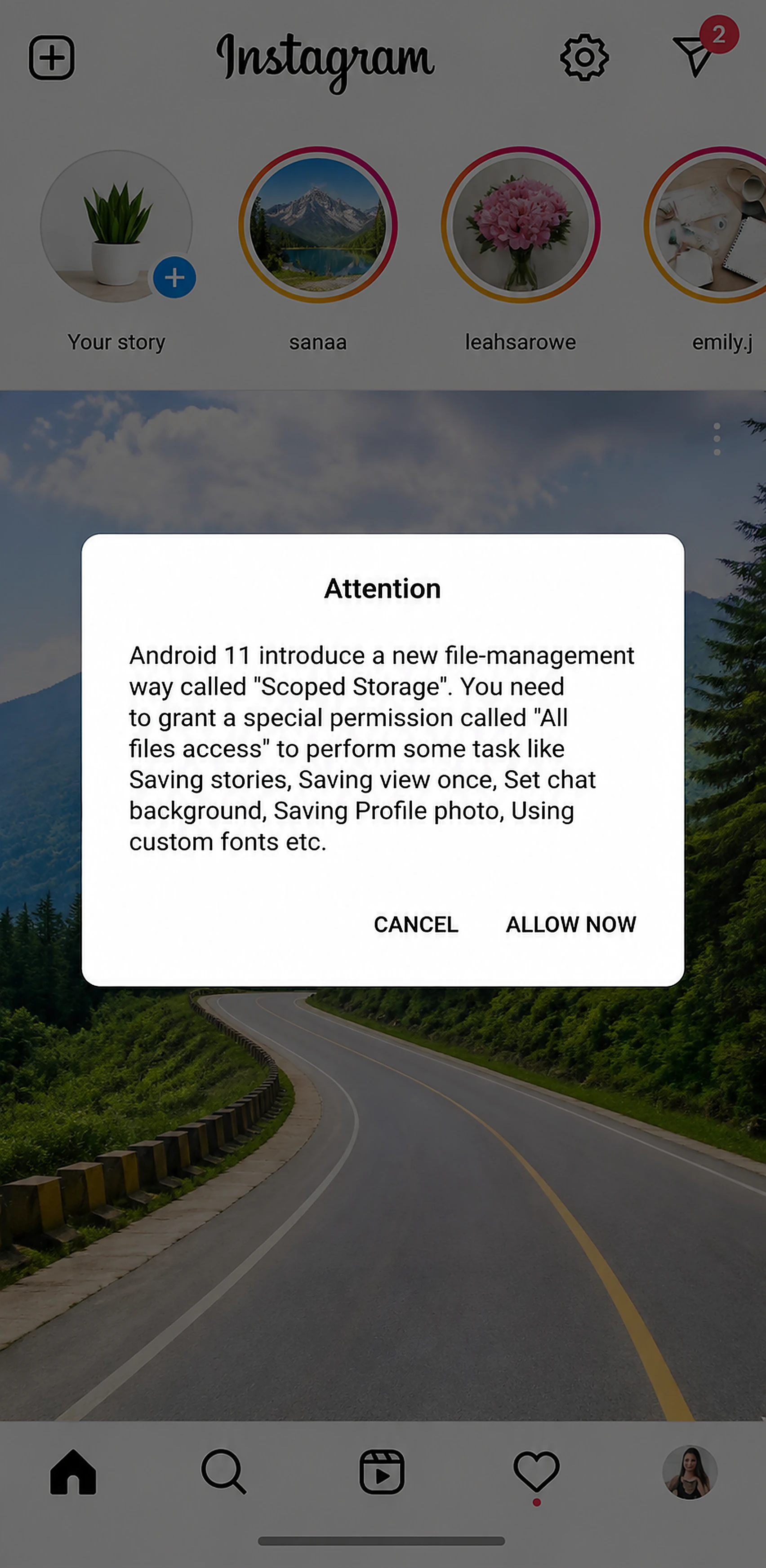
Instagram Gold asks for notification access and, on newer Android, All files access. These are used for notifications and saving media. If an Instagram mod ever asks for accessibility services, SMS or contacts access, treat that as a warning sign and uninstall.
Safer alternatives
If your goal is only to save your own content, the official app lets you download your own reels and archive your stories. For privacy, the official settings include activity status and message controls. These do not cover everything Instagram Gold does, but they carry no ban risk. For a full side-by-side, see Instagram Gold vs official Instagram.
Should you use it?
If you want maximum safety, stay on the official Instagram app. If you accept the trade-offs for built-in downloading and privacy controls, follow the steps above and treat Instagram Gold as optional, not essential.
Frequently asked questions
Is Instagram Gold APK safe to install?
It is unofficial and not vetted by Google or Meta. Use a trusted source, scan the file and test with a secondary account.
Is Instagram Gold on APKPure safe?
APKPure lists it, but the listing may be an older build and still carries the usual mod risks.
Can Instagram ban me for using Instagram Gold?
Yes, it is possible, because unofficial clients break Instagram's Terms of Use.
Is there an official Instagram Gold APK?
Not from Meta. The best you can do is download from the project's own site, insta.gold.
Related guides
- Instagram Gold APK 2026: What's New in the Latest Version
- Instagram Gold Old Version APK: 7.0, 8.0, 9.0 Explained
- Instagram Gold Plus vs Instagram Gold 2 vs BT Insta Gold
- Install Instagram Gold APK on Android: Full 2026 Guide
- How to Download Instagram Reels, Stories & Photos (2026)
- Instagram Gold vs Official Instagram: Key Differences (2026)