
Install Instagram Gold APK on Android: Full 2026 Guide
Install the APK in a couple of minutes, with fixes for parse errors and login problems.
Before you begin
You need an Android phone running 7.0 or higher and around 150 MB of free space for the 141.6 MB file. Rooting is not required. A stable Wi-Fi connection helps because a half-downloaded APK is the number one cause of install errors.
Step-by-step installation
- Open the Instagram Gold APK download section on our home page and tap the download button.
- When Android warns about unknown sources, open Settings and allow installs for your browser or file manager.
- Open the downloaded file from notifications or the Downloads folder and tap Install.
- Launch Instagram Gold and sign in.
- Grant notification and storage permissions when asked.
The same steps with screenshots are on the full installation guide.
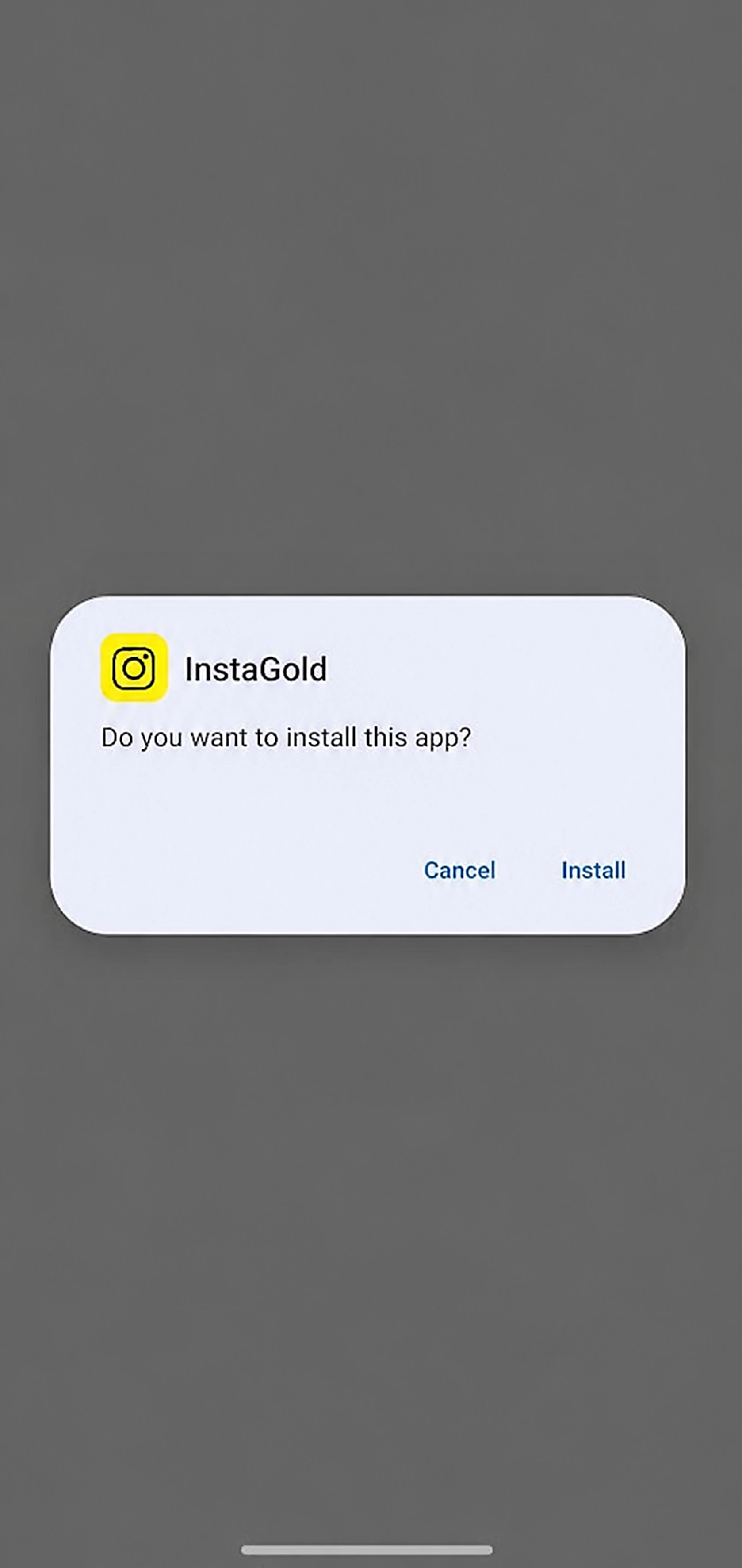
Permissions you will see
On Android 11 and newer, Instagram Gold shows a notice about “Scoped Storage” and asks for All files access. That is needed for saving stories, saving profile photos and using custom fonts. It is normal for this kind of app, but only grant it if you plan to use those features.
Fixing common errors
- App not installed: free up storage, or remove an older copy with the same package name.
- Parse error: the file is incomplete or your Android is older than 7.0. Download again.
- Blocked by Play Protect: unofficial apps trigger this. Continue only if you trust the source.
- Login problems: update to the newest build and disable VPN while signing in.
Why Android asks about unknown sources
Android blocks installs from outside Google Play by default. That is a safety net, not a bug. When you tap an APK, the system checks whether the app you opened it from (Chrome, Files, a download manager) is allowed to install other apps. You grant that permission per app, and you can switch it off again after installing. On Android 8 and above the setting is under Install unknown apps; on very old phones it is a single “Unknown sources” toggle.
After installing: first-run checklist
- Open the app and wait for the first screen to load fully.
- Sign in with a secondary account to confirm it works.
- Open the InstaGold menu (next to the notification icon) to see settings, themes and the video splitter.
- Turn off “Install unknown apps” for your browser if you do not need it any more.
- Delete the APK file to save about 141.6 MB.
How to update later
There is no in-app updater, so check the Instagram Gold APK download page every now and then. When a new build appears, download it and install it directly over the existing app. Your login and settings normally stay. If something looks broken after updating, uninstall and reinstall.
If it still will not install
Restart the phone, clear the cache of your Files app, re-download the APK on a stable connection and make sure you have at least 300 MB free. If your phone runs Android 6 or older, the app will not install at all because it needs 7.0 or higher.
Running it beside official Instagram
If you want to keep the official app, install the optional clone package so both apps live side by side with different accounts. Read the safety guide before logging in.
Frequently asked questions
How do I install Instagram Gold APK?
Download the APK, allow unknown sources for your browser, open the file, tap Install and sign in.
Why does it say App not installed?
Usually storage is low or an older conflicting copy exists. Free space or uninstall the old one.
Is root needed to install Instagram Gold?
No. Standard Android 7.0+ phones work without root.
Can I install it on iPhone?
No. It is an Android-only APK.
Related guides
- Instagram Gold APK 2026: What's New in the Latest Version
- Instagram Gold Old Version APK: 7.0, 8.0, 9.0 Explained
- Instagram Gold Plus vs Instagram Gold 2 vs BT Insta Gold
- Is Instagram Gold Safe? APKPure & Official Download Guide
- How to Download Instagram Reels, Stories & Photos (2026)
- Instagram Gold vs Official Instagram: Key Differences (2026)